Software Defined Networks
Overview
NetSim simulates Software Defined Networks with an SDN controller and an OpenFlow compatibility module. The controller can control the packet forwarding of all Layer 3 devices in the network.
The SDN module is available for networks such as Internetworks, WSN/IoT, MANETs, VANETs and LTE.
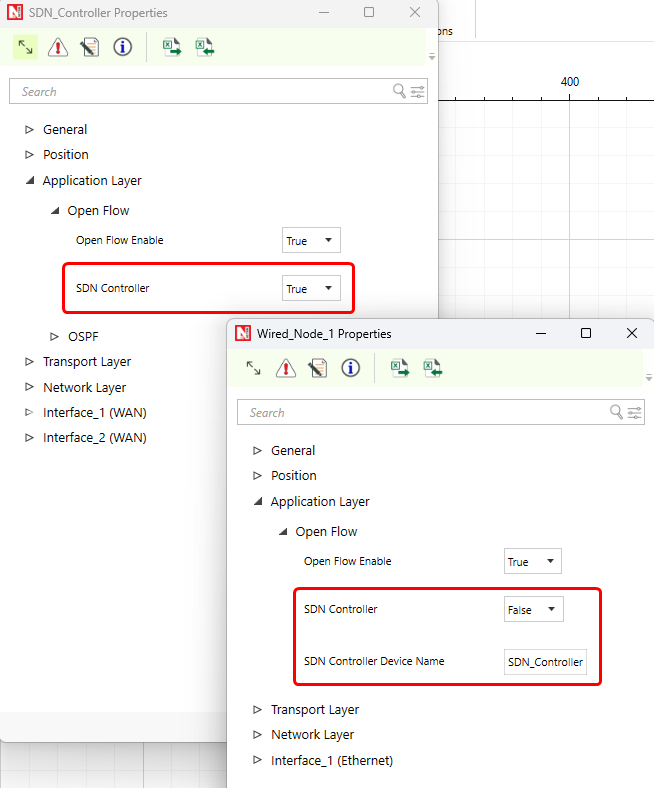
With this module, you can configure any layer 3 device as an SDN Controller. Examples are a Router, an L3 Switch, Wired/Wireless Nodes, Sensors and Gateways.
How does a software-defined network work?
Software-defined networking (SDN) makes a network flexible. SDN controllers centralize the network intelligence logically. They are the brains of the network, and give a centralized view of the full network.
NetSim SDN is Open Flow Compatible. OpenFlow is an open interface for remote control of the forwarding tables in network switches, routers and access points. On this low-level primitive, researchers can build networks with new high-level properties.
Each device has a console. Users can interact with the simulation at runtime in two ways:
- Through a socket that uses this console during the simulation.
- Through a file input before the simulation.
SDN supports networking commands that control the simulation, routing and Access Control. You run them in the controller command line during the simulation. Use them for tasks such as custom forwarding (changes to the device parameters for IP forwarding) and firewall capabilities on devices.
The SDN controller has a command line interface, in which users can configure the forwarding table of different devices.
The NetSim SDN Controller can control these Layer 3 devices:
- Internetworks – Nodes (Wired Node and Wireless Node), L3 Switches, Routers
- WSN / IoT - Sensors and Gateway (Sink Node in WSN, LowPAN Gateway in IoT)
- VANETs (the Roadside unit has the SDN controller) - VANET nodes
- MANETs - MANET Nodes (Wireless Nodes)
- LTE - LTE MME
SDN Supported Networking Commands in NetSim
- Commands Simulation specific
- Pause
- PauseAt
- Continue
- Stop
- Exit
- Reconnect
- Route Commands
- route add
- route print
- route delete
- Ping Command
- ping
- ACL Configuration Commands
- ACL Enable
- ACL Disable
- ACL Print
- ACL Config
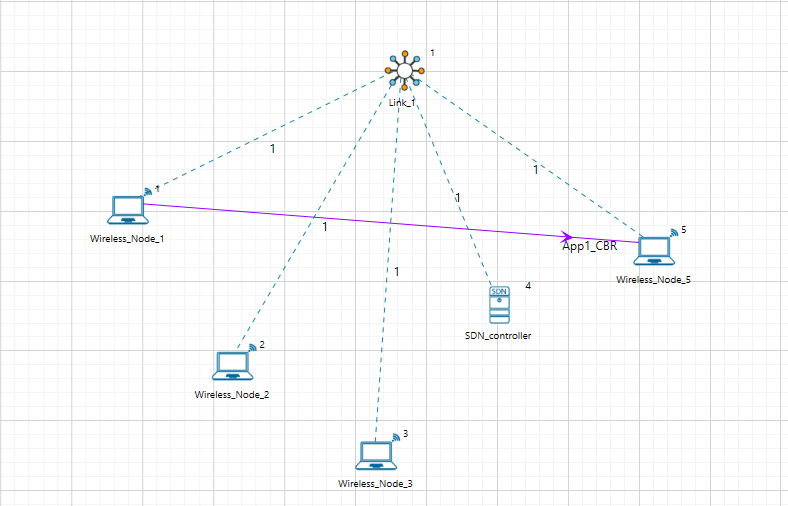
Example:SDN Controller
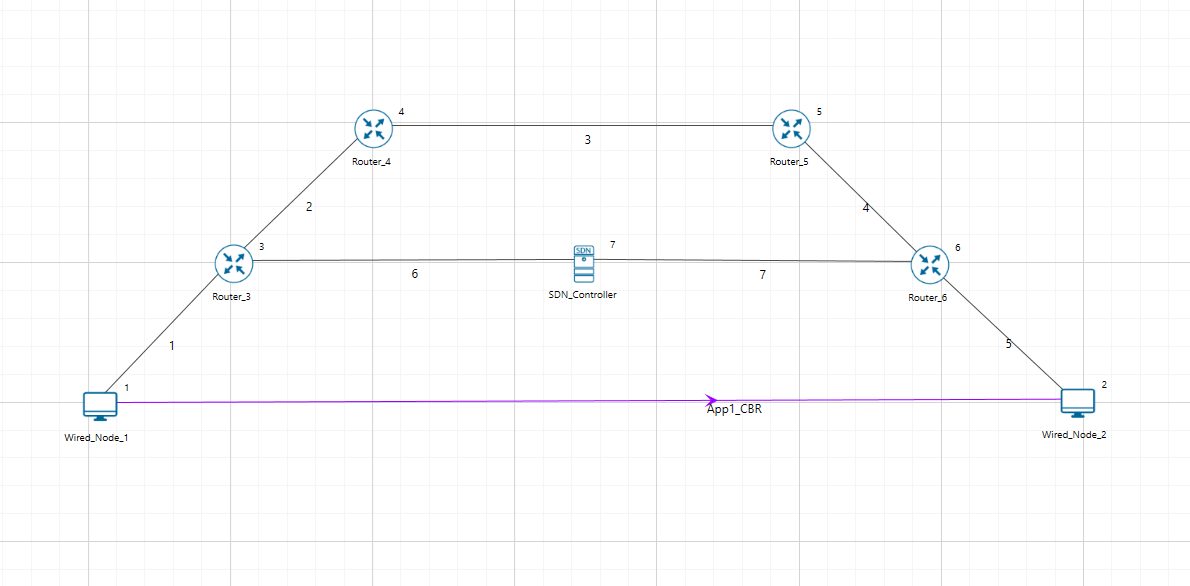
Example: SDN Controller Configuration
SDN_Controller: Application layer
SDN Commands Execution:
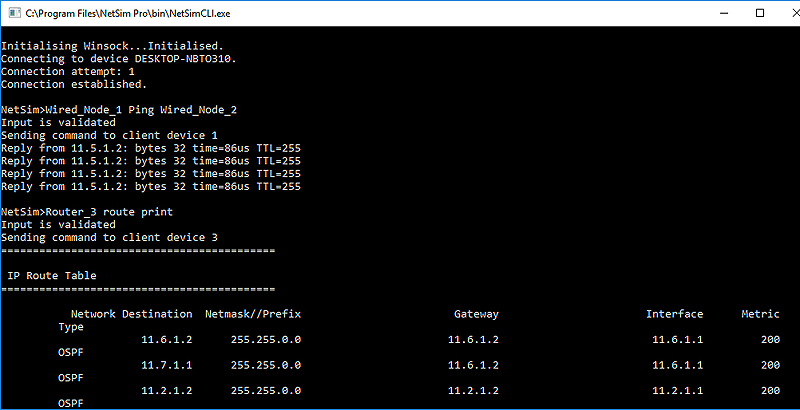
SDN Commands Execution:

Reference Links:
SDN Documentation (see the User Manual and Software Defined Networks library)
YouTube
videos
File Exchange
Support Knowledge
base